🎬 Project Demo
The complete reference implementation integrating TTBaseUIKit — featuring UIKit and SwiftUI approaches side-by-side.
See It In Action
Full navigation flow · Component library demo · UIKit to SwiftUI in one app
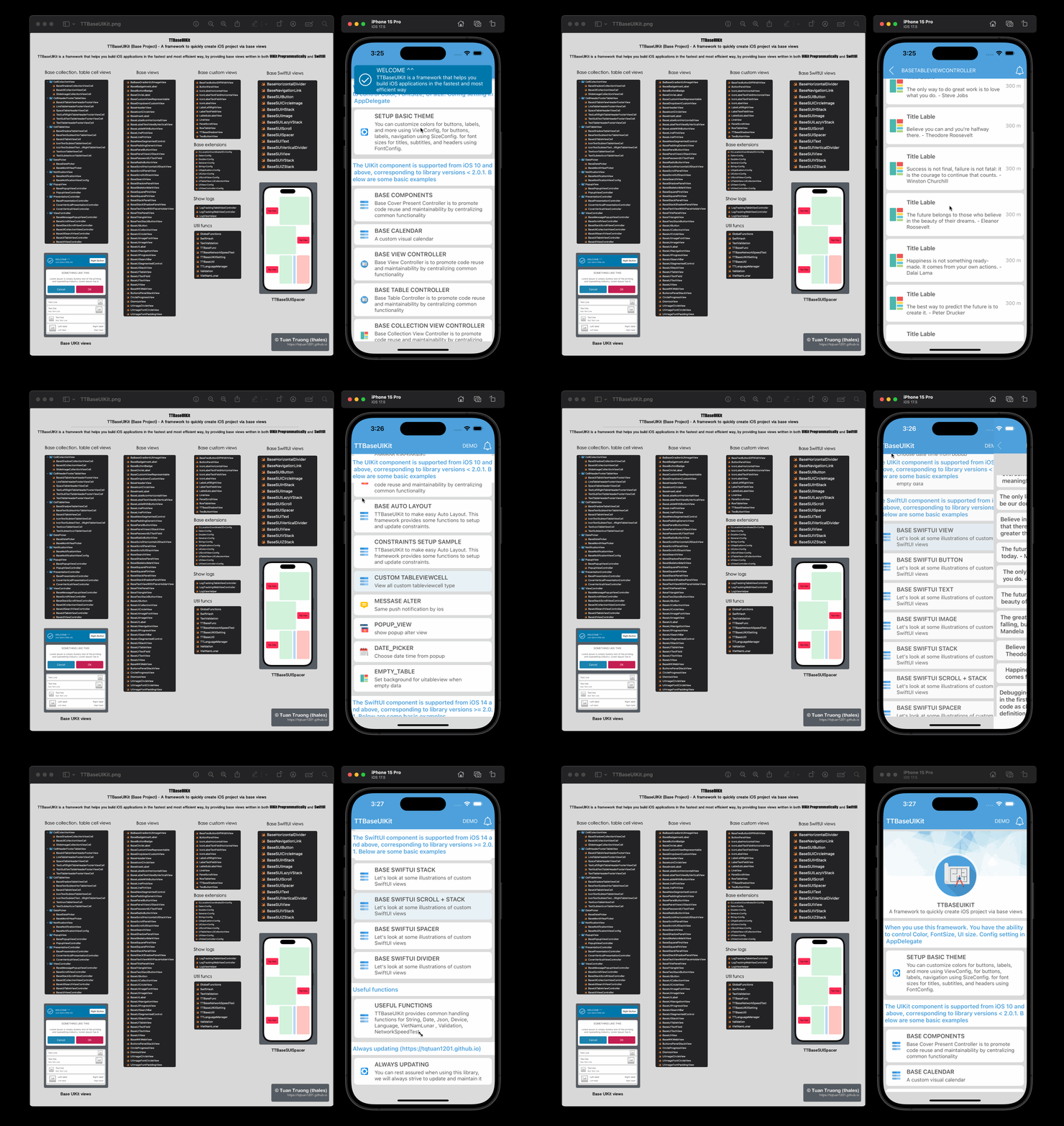
Also includes built-in UI Debug Kit (v2.2.1+) — triple-tap to inspect layouts, view API logs, capture screens
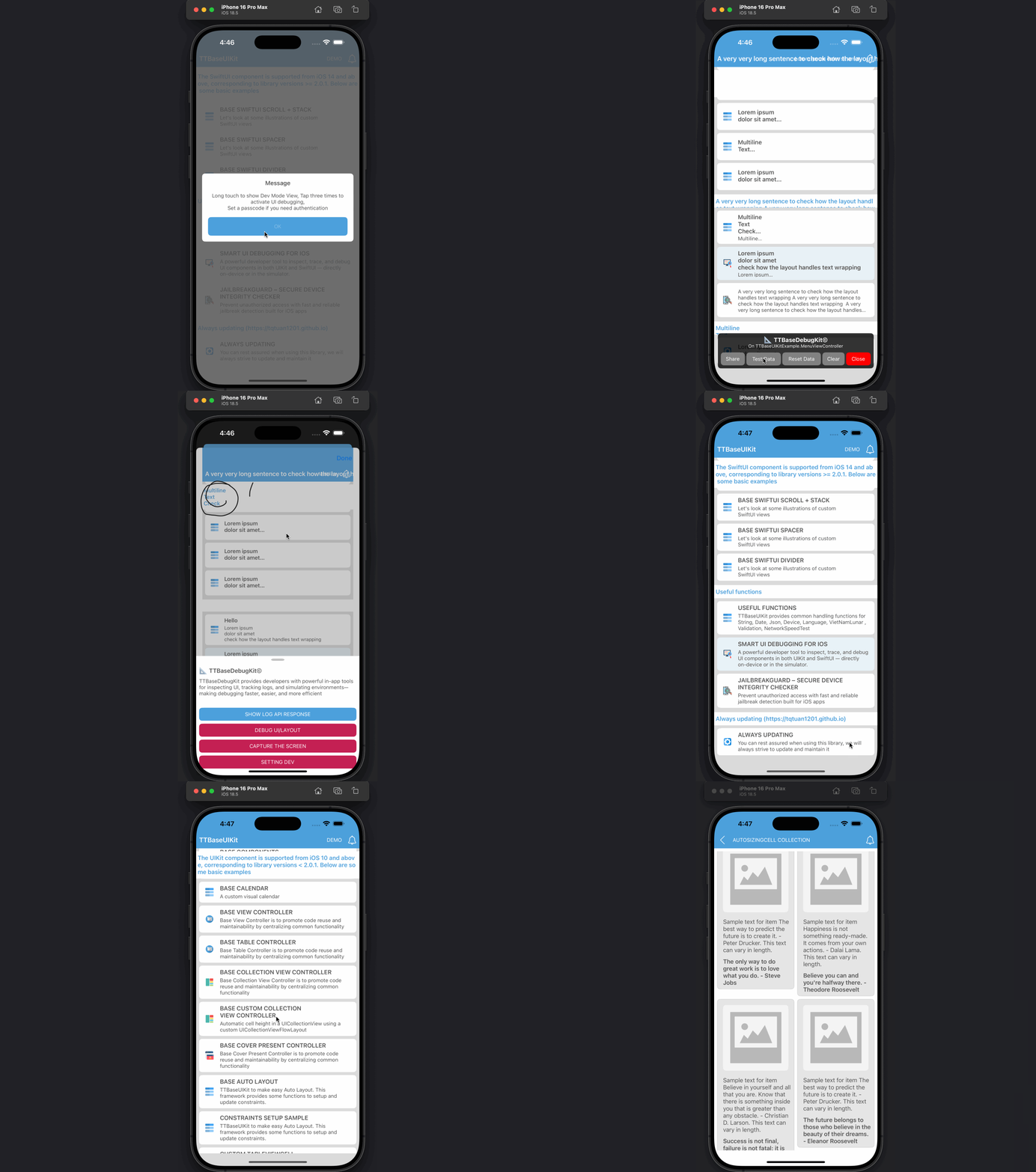
Two Approaches, One Kit
TTBaseUIKitExample demonstrates both UIKit programmatic and SwiftUI declarative patterns
// UIKit — Programmatic approach
class HomeViewController: TTBaseUIViewController {

    // ViewCodable protocol auto-calls:
    override func makeUI() {
        super.makeUI()
        // Build UI here — no Storyboard
        view.addSubview(titleLabel)
        view.addSubview(actionButton)
        setConstraints()
    }

    override func bindViewModel() {
        super.bindViewModel()
        // Bind data to views
    }
}

// BaseUITableViewController
class ListViewController: TTBaseUITableViewController {
    override func viewDidLoad() {
        super.viewDidLoad()
        // Table setup is handled by base
    }

    override func tableView(_ tableView: UITableView,
        cellForRowAt indexPath: IndexPath) -> UITableViewCell {
        // Register & dequeue from base
    }
}
What's Included
-
✓
ViewCodable ProtocolStructured lifecycle: setupData → makeUI → makeConstraints → bindViewModel
-
✓
BaseUIViewControllerNavigation, loading states, error handling — zero boilerplate
-
✓
BaseUITableViewControllerBuilt-in empty state, pull-to-refresh, skeleton loading
-
✓
BaseCollectionViewControllerCompositional layouts supported out of the box
-
✓
Auto Layout HelpersChainable programmatic constraints — no NSLayoutConstraint verbosity
-
✓
Popup, Notification, SkeletonShow messages, alerts, badges, loading skeletons in 1 line
// SwiftUI — Declarative approach
struct HomeView: BaseSUIView {

    var body: some View {
        VStack(spacing: 16) {

            // Base text with TTBaseUIKit font system
            BaseSUIText("Welcome to TTBaseUIKit")
                .ttFont(type: .HEADER_H)
                .foregroundColor(.primary)

            // Base button with built-in styles
            BaseSUIButton(title: "Get Started") {
                // action handler
            }
            .ttButtonStyle(.filled)

            // Base list with skeleton loading
            BaseSUIList(items: viewModel.items) { item in
                ItemRowView(item: item)
            }
        }
        .baseSUIPadding()
    }
}

// Preview in Xcode — no simulator needed
#Preview {
    HomeView()
}
What's Included
-
✓
BaseSUIViewBase SwiftUI view with built-in theme, spacing, and lifecycle helpers
-
✓
BaseSUIText & BaseSUIButtonFont system and button styles from TTBaseUIKit config — auto-themed
-
✓
BaseSUIList & BaseSUIGroupDeclarative list with empty state, skeleton loading, pull-to-refresh
-
✓
Shimmer AnimationsBuilt-in shimmer / skeleton loading effect for any view
-
✓
View ModifiersttFont, ttShadow, ttPadding — consistent styling across the app
-
✓
iOS 14+ CompatibleFull SwiftUI support from iOS 14 — maximum device reach
What's Inside TTBaseUIKitExample
A full-featured sample demonstrating all framework capabilities
How to Run
Get TTBaseUIKitExample running in Xcode in under 60 seconds
git clone https://github.com/tqtuan1201/TTBaseUIKit.git
.xcodeproj file in Xcode. No CocoaPods or SwiftPM install required for the example.open TTBaseUIKit.xcodeproj
Ready to Explore?
Clone TTBaseUIKitExample and see how UIKit and SwiftUI coexist in a single, production-grade iOS project.