Proximity Lock: Smart AutoLock - A Native Security & Productivity Companion for Your Mac
Table of Contents
Abstract
In this post, I am excited to launch Proximity Lock: Smart AutoLock — a native security and productivity companion built specifically for the Apple ecosystem. In this post, we will explore:
- The real-world friction that motivated building
Proximity Lock: Smart AutoLock - Core features:
Auto-Lock / Unlock,Cafe Mode,Work Mode, andRemote Control - How to join the Launch Creator Rewards to get 50% OFF or Lifetime Pro FREE
Let’s dive in!
Motivation
I got tired of two things in my daily workflow on macOS:
- Leaving my Mac for a coffee and wondering if someone would touch or inspect it.
- Running long builds, downloads, or reading documentation, only to come back and find my Mac asleep.
Instead of complaining, I spent the last few months building a solution for myself and the developer community.
Today, I’m excited to launch Proximity Lock: Smart AutoLock — a native security and productivity companion built for the Apple ecosystem.
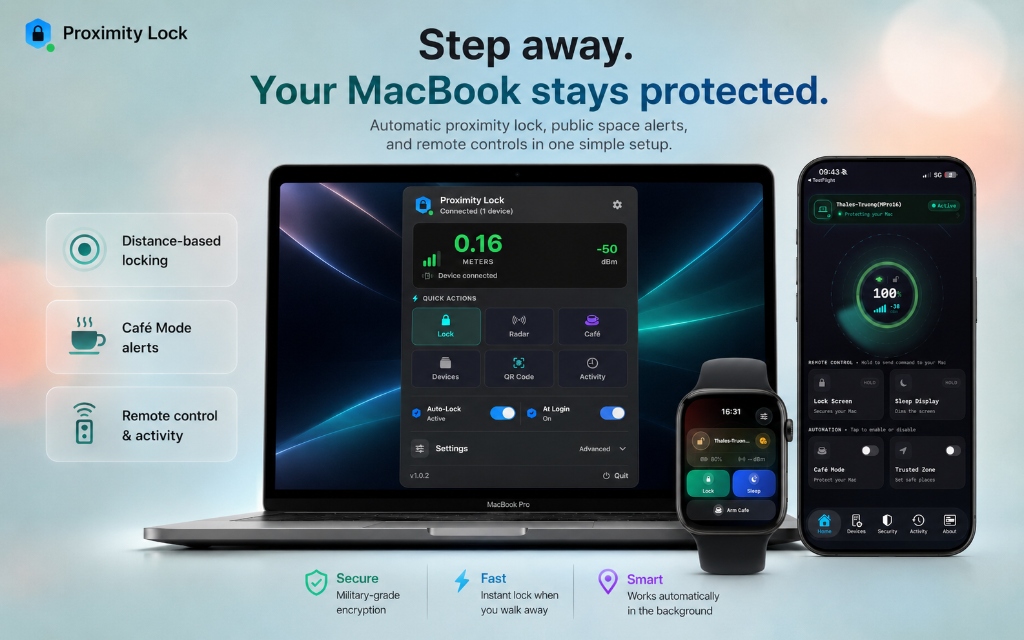
Proximity Lock: Smart AutoLock — Step away. Your MacBook stays protected.
What It Does
Proximity Lock: Smart AutoLock seamlessly bridges your iPhone and Mac to deliver continuous security and convenience:
- Auto-Lock / Unlock: Your Mac locks and unlocks automatically based on your
iPhone’s proximity. → Benefit: Zero manual password entry required when returning. - Cafe Mode: If someone touches your Mac while you’re away, a siren sounds and a photo is sent to your iPhone. → Result: Instant security siren + Photo captured sent directly to your phone.
- Work Mode: Keeps your Mac awake during long builds, downloads, or research while the security layer stays active. → Benefit: Long background tasks continue uninterrupted.
- Remote Control: Lock or put your Mac to sleep from your iPhone with a single tap. → Benefit: Instant control even from across the room.
Try Free. Love It. Keep It.
Learn more and download for free:
- Website: Proximity Lock Official Website
- iOS: Proximity Lock on App Store
- macOS: Proximity Lock for Mac
Video Guide & Demo
Watch the complete walkthrough video to see how Proximity Lock: Smart AutoLock protects your Mac automatically — from setup to everyday use:
You can also watch it interactively on the Proximity Lock Official Website.
Launch Creator Rewards
Click here to Join the Challenge
I’d love to see how you share Proximity Lock: Smart AutoLock with others. You can join in either of these ways:
Option 1 — Create a Video
Create a 10–30 second video showing your favorite feature and post it on X, TikTok, Instagram Reels, or YouTube Shorts.
Rewards:
- 500 video views → 50% OFF Pro
- 2,000 video views → Lifetime Pro FREE
Option 2 — Repost This Launch
Repost this launch post on X and add your own thoughts or experience with Proximity Lock: Smart AutoLock.
Rewards:
- 1,000 post views → 25% OFF Pro
- 4,000 post views → Lifetime Pro FREE
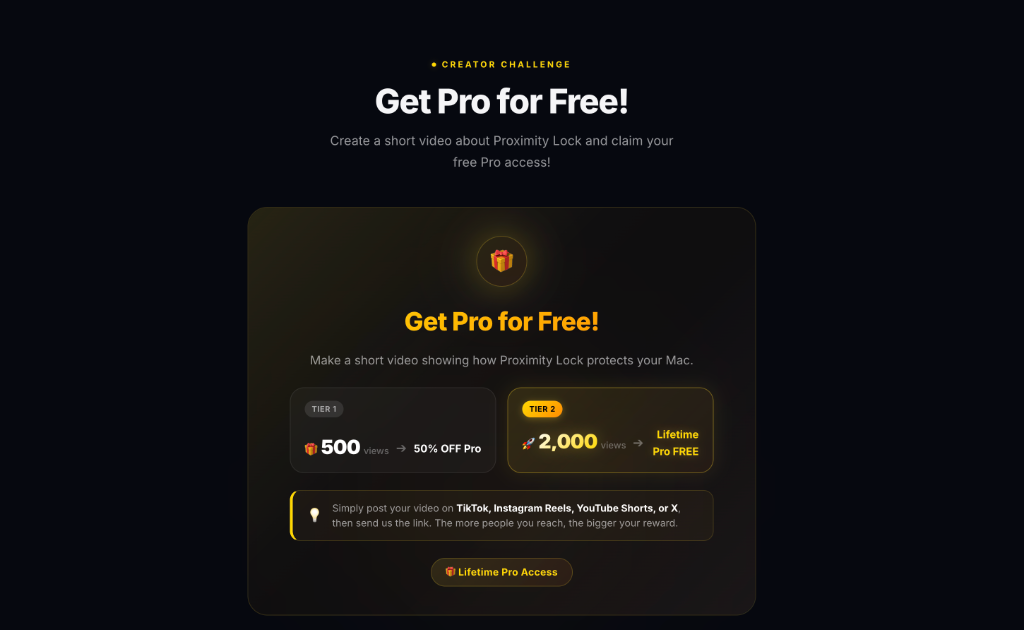
Proximity Lock Creator Challenge — Get Pro for Free!
How to Claim Your Reward
- Visit the Challenge Rules & Details.
- Publish your video or repost this launch post.
- Reply to this post with the link to your post.
- When you reach a reward milestone, reply to your own comment with a screenshot of your post analytics.
I’ll verify it and DM your reward.
Conclusion
Every video, repost, comment, and share helps an indie developer reach more people who might find Proximity Lock: Smart AutoLock useful.
Thank you for supporting this project. I truly appreciate every bit of help! See you in the next post. ❤️
Posts in this Series
- Work Mode: Stay Awake & Protected With Proximity Lock
- Proximity Lock: Smart AutoLock - A Native Security & Productivity Companion for Your Mac
Support My Work
If you enjoyed this article or found it helpful for your development journey, consider buying me a coffee. Your support fuels more in-depth technical posts and open-source projects!